
Your needs, this model
Does it fit your priorities?
Can the ADMPF310F receive new photos without Internet service?
For the documented local workflow, yes: Aluratek describes USB/card viewing and its linked manual explains copying files from a PC or Mac to the frame's internal memory over the included cable. That means a nearby prepared source, not an upload from a distant relative; no offline behavior was personally tested.
Explore this need in the finder →Is portrait placement documented for the exact ADMPF310F?
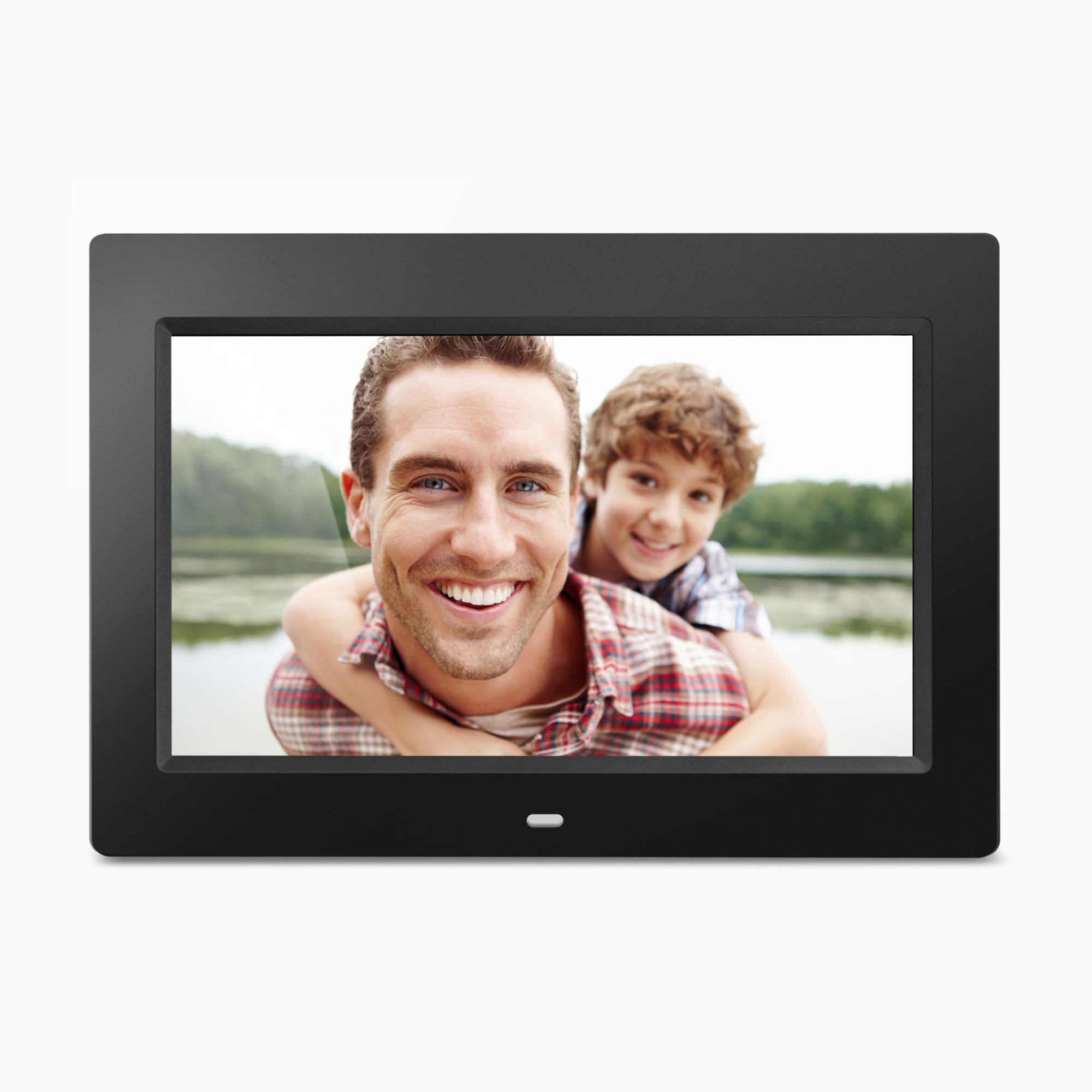
Yes. The exact Aluratek page says the frame is adjustable for vertical orientation. Its main image shows a landscape position, and the separate remote Rotate key in the manual is not evidence of automatic orientation sensing.
Explore this need in the finder →Can family members send photos to the ADMPF310F from another home?
The exact page and linked manual describe USB/card playback and local computer transfer, but no Wi-Fi app, email-to-frame, cloud album or invited-contributor route. Treat it as a nearby owner-managed frame rather than a remote-family-sharing model.
Explore this need in the finder →Scope: this is a source-based assessment of the exact U.S. ADMPF310F listing, its single-option product record and the English manual linked from that page. I did not use or test the frame. Aluratek marked the listing out of stock and its product record unavailable on October 29, 2026, so this is a model reference—not a current purchase recommendation.
A local-media frame, not a family-sharing screen
The ADMPF310F is presented as a 10-inch, 1024 × 600, 16:9 TFT LCD frame with 4GB of built-in memory. The product page describes pictures and video from USB or SD media, and copying files from a computer to the internal drive. Aluratek's directly linked, 24-page manual names the ADMPF310F on its 2014 cover (manual M10347) and explains how to move photo, video and music files from a PC or Mac over the included USB cable. It also describes playback from internal memory, an SD card or USB storage. Those are nearby, owner-managed routes; neither source documents an app, invited remote contributors or a cloud album.
That separation matters. If relatives need to send pictures from another home, the frame's local USB and card slots do not solve the sharing task. You would first need to gather files and copy them to a card or computer connection at the display. The maker's product page says no software setup is required, but that is not the same as a remote-sharing feature. Choose a Wi-Fi model with an explicit contributor workflow if distant family updates are essential.
What the 10-inch display and orientation claims establish
Aluratek lists a 10-inch diagonal, 1024 × 600 panel and 16:9 ratio. The product page says the frame can be adjusted for vertical orientation; that supports a portrait placement choice, while the landscape promotional render only shows one presentation. The manual also includes a remote-control Rotate button, but a control that rotates an image is not, by itself, proof of a physically rotating stand. The exact page's separate vertical-orientation statement is the evidence for the placement claim.
Do not use the 10-inch diagonal as a proxy for room-distance readability or furniture fit. The listing gives outside dimensions of 10.75 × 0.75 × 7.375 inches and a listed weight of 1.2 pounds, without labeling each dimension's axis. Measure the intended shelf or wall area, leave room for the stand and cord, and confirm mounting instructions and hardware with the seller. The page calls the frame wall mountable, but that does not establish which screws, anchors or bracket come in a particular used or third-party package.
Useful extras, with format and service limits
The product page lists a remote control, built-in speakers, a clock, calendar, weather and alarm functions, plus an automatic on/off timer. The manual gives menu-level instructions for slideshows, music, video, calendar, alarm and scheduled power-on/off. Those instructions are more useful than an assumption that every multimedia file will work: the sources do not provide a complete compatibility table in the passages reviewed, and playback was not tested. If video is a must-have, check the exact codec and file requirements before preparing a library.
The page says the frame supports SD, SDHC and SDXC cards up to 32GB and USB media; the manual describes an SD route and a USB 2.0 cable but does not state the same card ceiling. Treat 32GB as the page's claim, not a tested compatibility result. The product page also warns that a USB hard drive needs its own power adapter. Its listed contents include the frame stand, USB cable, adapter, remote and manual; the manual's package list similarly includes a power adapter, a Type-A-to-mini-B USB cable, remote, stand and paperwork. These are manufacturer package statements, not an inspection of a current sealed unit.
Where it sits beside other Aluratek choices
The reviewed ADMPF214FB is a 14-inch local-media alternative with its own page/manual caveats, while the ADMPF315F is a listed 15-inch model with conflicting memory and panel claims. Both are larger than this ADMPF310F and have their own evidence and lifecycle status; do not assume their screens, stands or packages are interchangeable. Aluratek's AWFC calendar/photo frames add a connected account workflow, a different task from loading this model locally. Match the workflow first, then compare panel size and installation requirements.
Who should keep this model on a research list?
The documentation points to a corded, button-and-remote-operated display for someone who wants to prepare photos nearby, copy them to internal storage or leave a card or USB source attached. The manual's old copyright and the exact page's sold-out status are reasons to treat purchase availability and condition cautiously—not proof that every third-party seller lacks a unit. If considering a used or old-stock example, confirm the full ADMPF310F code, screen condition, adapter, stand, remote and card/USB access before relying on it. Do not mistake a compatible-looking shell or another Aluratek 10-inch model for this SKU.
For a current shortlist, the dated unavailable manufacturer listing makes the key decision simple: use this assessment to understand the documented local workflow, but compare currently eligible models in the finder rather than treating this reference as an available offer. No current price, stock, seller package, customer experience or measured display performance is asserted here.
Primary references: Aluratek's ADMPF310F U.S. product page and the English manual linked from that exact page.
Key specifications
Key details at a glance
| Display | 10-inch TFT true-color LCD per the exact Aluratek U.S. product page. |
|---|---|
| Display diagonal | 10 in |
| Aspect ratio | 16:9 |
| Supported orientations | landscape / portrait |
| Wi-Fi required | No |
| Wi-Fi bands listed | |
| Required frame subscription | No |
| Listed frame dimensions | 10.75 × 0.75 × 7.375 inches (27.3 × 2 × 18.7 cm); the exact product page does not label the axes. |
| Listed weight | 1.2 lb |
Use the exact model’s instructions for operating limits, supplied equipment and version differences.
Sources for this review
Sources for this assessment
- Aluratek ADMPF310F exact U.S. product page
- Aluratek ADMPF310F single-option Shopify product record
- ADMPF310F English manual linked from the exact Aluratek page; cover prints M10347 and copyright 2014
- U.S. CPSC exact-name ADMPF310F Recall Retrieval API query (narrow search only)
- Aluratek ADMPF310F exact-page main product image

Check the frame against your actual setup
Compare orientation, connection needs and placement before choosing a model.