
Your needs, this model
Does it fit your priorities?
Can this frame receive new pictures without Internet service?
For the documented nearby routes, yes: the current page and linked English manual describe USB or MicroSD playback and copying files from a PC or Mac to internal memory over the included cable. This is a local update, not remote family sharing, and no offline behavior was personally tested.
Explore this need in the finder →Does the ADMPF315F support portrait placement as well as landscape?
Aluratek's exact product page says its removable stand rotates 90 degrees for vertical orientation, so both physical positions are documented. The page-linked manual also has an Auto-Rotate setting, but it does not establish behavior for every photo or seller revision.
Explore this need in the finder →Is the ADMPF315F's built-in memory 4GB or 8GB?
The exact U.S. product title/details list 4GB; its directly linked English manual, which prints ADMPF315F and M10603/copyright 2024, says 8GB. The page also disagrees with itself about panel resolution and ratio. The reviewed sources do not say whether a revision explains this, so confirm the exact unit's storage and screen specification before ordering.
Explore this need in the finder →Source-based review · checked 29 October 2026 · no hands-on testing claimed
The Aluratek ADMPF315F is a large, mains-powered frame for people who can bring pictures to the display locally. Its current U.S. product page describes USB and microSD viewing, copying files from a PC or Mac to internal memory, a remote control and a rotating stand. The page and the English manual linked from it agree on the 15-inch class, but not on several basic specifications: the page calls the built-in storage 4GB while its linked manual says 8GB, and the same web page gives incompatible screen specifications. That makes it a plausible local-media candidate, not a frame to buy on an unverified storage or panel promise.
The exact Aluratek page and its one-option product record identify ADMPF315F; the linked manual also prints this model code. This is source-based analysis, not ownership, measurement or testing, and the conflicts below are not silently averaged.
Best for nearby photos, not distant contributors
The useful distinction is a straightforward local workflow. The product page lists a USB drive or microSD-family card for direct media access and a way to copy files from a computer to the frame's internal memory over USB. The page-linked manual gives the practical sequence: insert MicroSD or USB media for playback, or connect the supplied cable to a PC or Mac so the frame's internal memory appears as a drive and files can be copied across. It also says a card starts the slideshow automatically. This is a suitable setup to consider when one person can prepare the media or visit the frame; it is not a documented route for a relative in another home to send a photo remotely.
Neither source documents Wi-Fi, an app, email-to-frame or invited contributors. The documented nearby-media plan does not need Internet, but remote sharing remains unestablished. A gift recipient who should receive pictures without handling media needs a connected model: Aluratek's separate AWFC15F combines a 15.6-inch calendar screen with an Internet-dependent app/account route, not this frame's local transfer process.
Local playback adds more than a slideshow
The maker lists video and audio playback, speakers, background-music slideshows, clock, calendar, alarm and an on/off timer. The linked manual adds slideshow settings, Motion Sensor and Auto-Rotate menu options. These listed functions may suit a shared-room slideshow or basic signage, but the sources do not establish every file-format behavior or how motion sensing works in practice; none was tested.
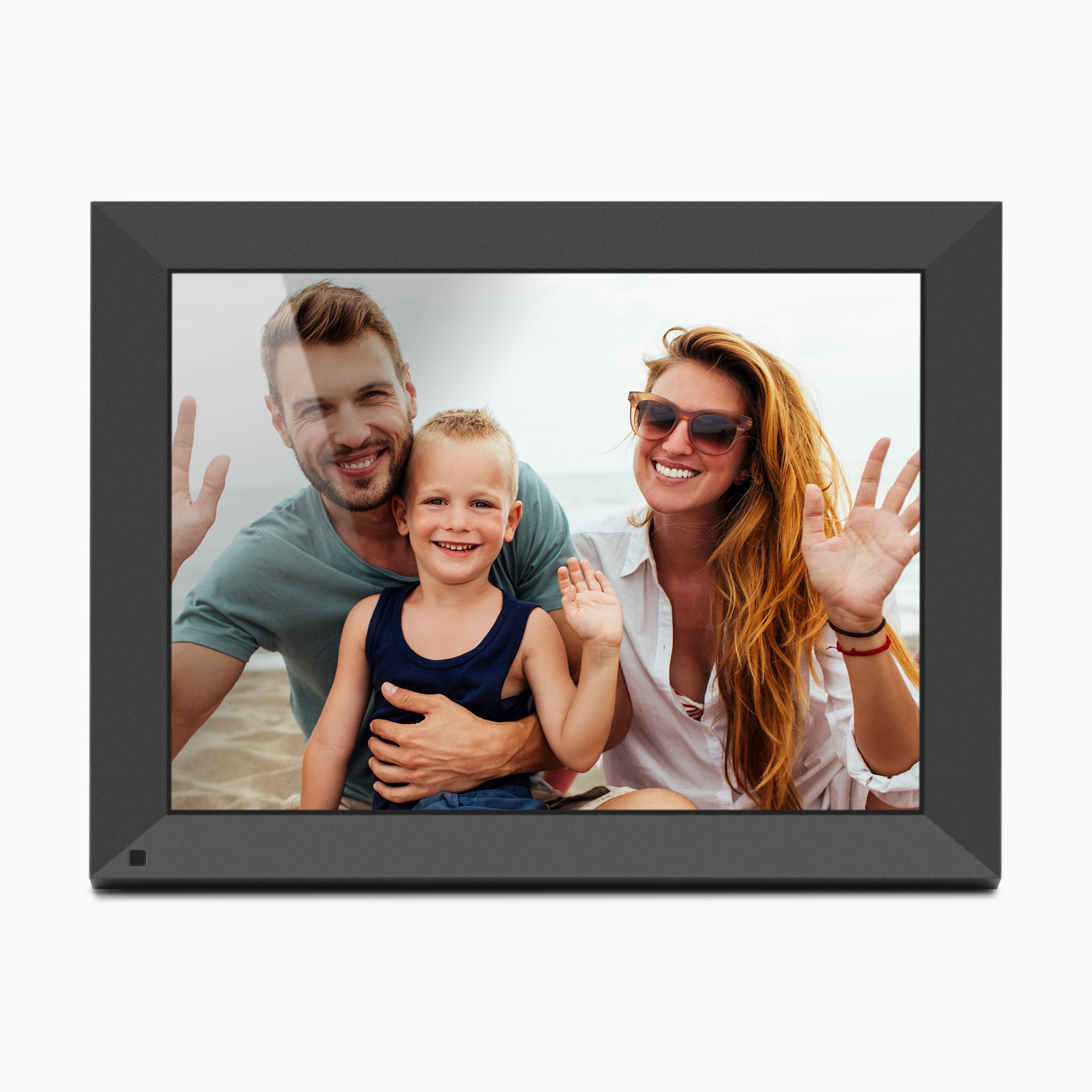
The page says the frame stand can rotate 90 degrees for vertical orientation, so Aluratek documents both horizontal and vertical placement. The manual additionally lists a frame stand and a remote; the product page's box list names a stand, remote, USB cable, power adapter and manual. It describes wall mounting, and the manual illustration labels wall-mount holes, but a bracket, screw dimensions and wall-mount pattern are not resolved here. Treat the sample landscape image as an illustration, not proof of the delivered bezel or included mounting hardware.
Pause at the storage and display conflicts
The product title/details say 4GB, and the display highlights say 1024 × 768 in 4:3; its own FAQ instead says 1024 × 600 in 16:9. The directly linked English manual has a 2024 copyright line, prints ADMPF315F, calls it a touchscreen and says 8GB. No source explains whether a revision or copy error accounts for this. I leave capacity, native resolution, ratio and touch capability unresolved; do not assume even the page's 4GB figure is user-available space.
The product page promotes MicroSD, MicroSDHC and MicroSDXC up to 32GB, while the manual only says MicroSD. The page lists USB 2.0; the manual describes USB and USB-C ports and an included USB-to-USB-C cable. Confirm card limits, memory, display and box contents against the actual seller unit.
Size and placement still need a tape measure
A 15-inch diagonal clears a 15-inch minimum but is not the outside footprint. Aluratek lists 14 × 1.125 × 12 inches and 4.2 pounds without identifying axis order. Measure shelf and stand clearance, check the adapter route, and confirm wall hardware separately; no anti-glare treatment is established. The local-only 14-inch ADMPF214FB is smaller and its sources do not document a physically rotating stand; connected Aluratek hybrids use a different app/network workflow.
Who should keep it on the shortlist
Consider the ADMPF315F if you want a 15-inch-class screen, can supply mains power, can refresh photos locally from USB or a card, and value the listed remote, stand and media-player functions. It is not a fit for essential cordless use, remote Wi-Fi family contributions, or anyone who needs a confirmed 4GB/8GB capacity, exact screen ratio, verified anti-glare treatment or included wall kit before ordering. Ask the retailer or Aluratek to reconcile the exact ADMPF315F unit's storage size and screen specification, and check card support and box contents for the item actually being sold. The official main image shows a dark frame in a landscape promotional rendering; it does not prove the seller's finish or delivered package.
Primary references: Aluratek's exact ADMPF315F U.S. product page, including its linked ADMPF315F English manual, and the distinct AWFC15F exact product page. No independent display, storage, offline or reliability testing is claimed.
Key specifications
Key details at a glance
| Display | 15-inch-class TFT/LCD per the exact U.S. product page and page-linked manual; the manufacturer page also calls the display a touchscreen in its manual, while its product highlights describe push-button controls. |
|---|---|
| Display diagonal | 15 in |
| Supported orientations | landscape / portrait |
| Required frame subscription | No |
| Manufacturer storage claim | The product page lists photo/video/audio formats, speakers, slideshow music and 4GB internal memory; the linked manual describes file copying, music and video media and says 8GB. The capacity and full list of supported file formats remain unresolved; no media playback was tested. |
| Listed frame dimensions | 14 × 1.125 × 12 in (35.6 × 3 × 30.5 cm); the exact Aluratek page does not identify the axis order |
| Listed weight | 4.2 lb |
Use the exact model’s instructions for operating limits, supplied equipment and version differences.
Sources for this review
Sources for this assessment
- Aluratek ADMPF315F exact U.S. product page
- Aluratek ADMPF315F one-option Shopify product record
- ADMPF315F English manual linked from its exact Aluratek U.S. product page; cover prints M10603 and copyright 2024
- U.S. CPSC exact-name ADMPF315F Recall Retrieval API query (narrow search only)
- Aluratek ADMPF315F exact-page main product image

Check the frame against your actual setup
Compare orientation, connection needs and placement before choosing a model.