
Your needs, this model
Does it fit your priorities?
Can ADMPFD13F show new photos without Internet access?
The model-specific M10538 manual documents SD/SDHC slideshow playback and copying files from a nearby PC or Mac to the frame's 8GB internal memory over USB. That is a local, owner-managed update route; it does not let distant relatives contribute, and no outage behavior was tested.
Explore this need in the finder →Does ADMPFD13F support remote family photo sharing over Wi-Fi?
That is not established for this exact model. A FAQ sentence on the current page mentions Wi-Fi video chat, but the ADMPFD13F M10538 manual and technical details do not describe a network setup, app, frame email or contributor workflow. Treat remote delivery as unverified unless exact-code documentation confirms it.
Explore this need in the finder →Can I turn ADMPFD13F vertically for portrait placement?
The exact-page image and M10538 diagrams show landscape use, and the manual's remote Rotate key adjusts the image rather than documenting a vertical stand position. Portrait placement is therefore unverified; check the stand and exact manual before buying if it is essential.
Explore this need in the finder →Source-based assessment · 13.3-inch local-media frame
The Aluratek ADMPFD13F is a mains-powered 13.3-inch LCD frame built around a locally managed photo library. The exact U.S. product page lists a 1920 × 1080, 16:9 display, USB and SD-family input, and two interchangeable distressed-wood borders. Aluratek's model-specific M10538 manual adds the operational detail that matters most: a card can start a slideshow, and a nearby PC or Mac can copy files to the frame's 8GB internal memory over USB. This is a document-based assessment, not a hands-on review. The exact page showed the item in stock when checked on October 30, 2026; that dated manufacturer-store observation is not a promise about later availability or any other seller.
A large, wide display with one documented position
At 13.3 inches, this is substantially larger than the small countertop and bedside frames in the same Aluratek family. Its listed 16:9 shape suits a wide photo slideshow, and M10538 describes menu choices for display ratio, slide speed, repeat and transitions. That gives the owner ways to adjust presentation, but it does not guarantee that every portrait photo will fill the screen without cropping or empty space. The manufacturer's exact page also has a stray “9-inch” highlight and generic copy referring to a touchscreen; those claims conflict with the 13.3-inch model title and the manual's physical-button and remote diagrams, so they are not used here.
The exact image and manual show the frame horizontally. M10538 lists a remote Rotate control, but that rotates displayed content; it is not evidence that the stand supports portrait placement or that the panel auto-rotates. The model is therefore assessed for landscape use only. If vertical mounting is essential, confirm the stand or wall setup for the exact unit before ordering rather than treating a tall source photo as proof of portrait compatibility. The manual does identify wall-mount and VESA-mount holes, while the manufacturer page calls the frame wall-mountable; neither source specifies an included bracket or VESA spacing.
Local updates are the clearest supported workflow
M10538 describes two nearby ways to supply photos. First, inserting an SD or SDHC card starts the slideshow. Second, the included USB cable connects the frame to a PC or Mac, where the frame's internal memory appears as a drive for copying files. The manual identifies that memory as 8GB, which is also the capacity in the exact product details. This can make sense for a household, office or display space where one person prepares the photo library and a mains outlet is available. It does not need a Wi-Fi account for the documented card-and-cable workflow, and it is not a way for a relative at another address to send a new picture.
The exact product page has a FAQ sentence about Wi-Fi video chat between frames, but the model-specific manual and technical details do not explain wireless setup, an app, frame email, accounts or remote contributors. That unresolved discrepancy matters: this page cannot establish that ADMPFD13F supports remote family sharing. The FAQ also mixes in a 4GB memory reference even though the exact model details and M10538 say 8GB; those two model-specific sources support the 8GB figure, while the FAQ does not identify a separate ADMPFD13F revision. Aluratek's statement that there are no monthly fees is relevant to the local setup, but it should not be treated as proof of a particular online service or its terms.
Media features, card limits and what to check
This model is more than a still-photo viewer on paper. The exact page and M10538 manual list separate photo, music, video and calendar functions, plus built-in speakers, background music, a clock and an alarm. The manual names broad file categories but does not provide an exhaustive codec list. Likewise, the page says SD, SDHC and SDXC cards up to 32GB; M10538 names SD and SDHC and gives no capacity limit. No compatibility test or newer model-specific manual resolves whether SDXC or the stated maximum works with every unit, so verify the exact card and file types before copying a large archive. The page also says an attached USB hard drive needs its own power adapter, a different setup from a thumb drive.
The maker says this single product package includes Mahogany and Walnut interchangeable border frames, a stand, remote, USB cable, power adapter and manual. The M10538 package list says “interchangeable frame” in the singular alongside the stand and accessories; it does not explain the fitted-versus-spare border count. A new package sold by the manufacturer may follow its current itemized page, but a used, open-box or third-party package needs its own check. The exact page lists outer dimensions as 14.75 × 1.25 × 10 inches without axis labels, then renders its weight as “2 lb. (5 oz),” which is ambiguous. Measure the frame and stand in an actual offer if a shelf, mount or shipping limit is tight.
Who this assessment may help
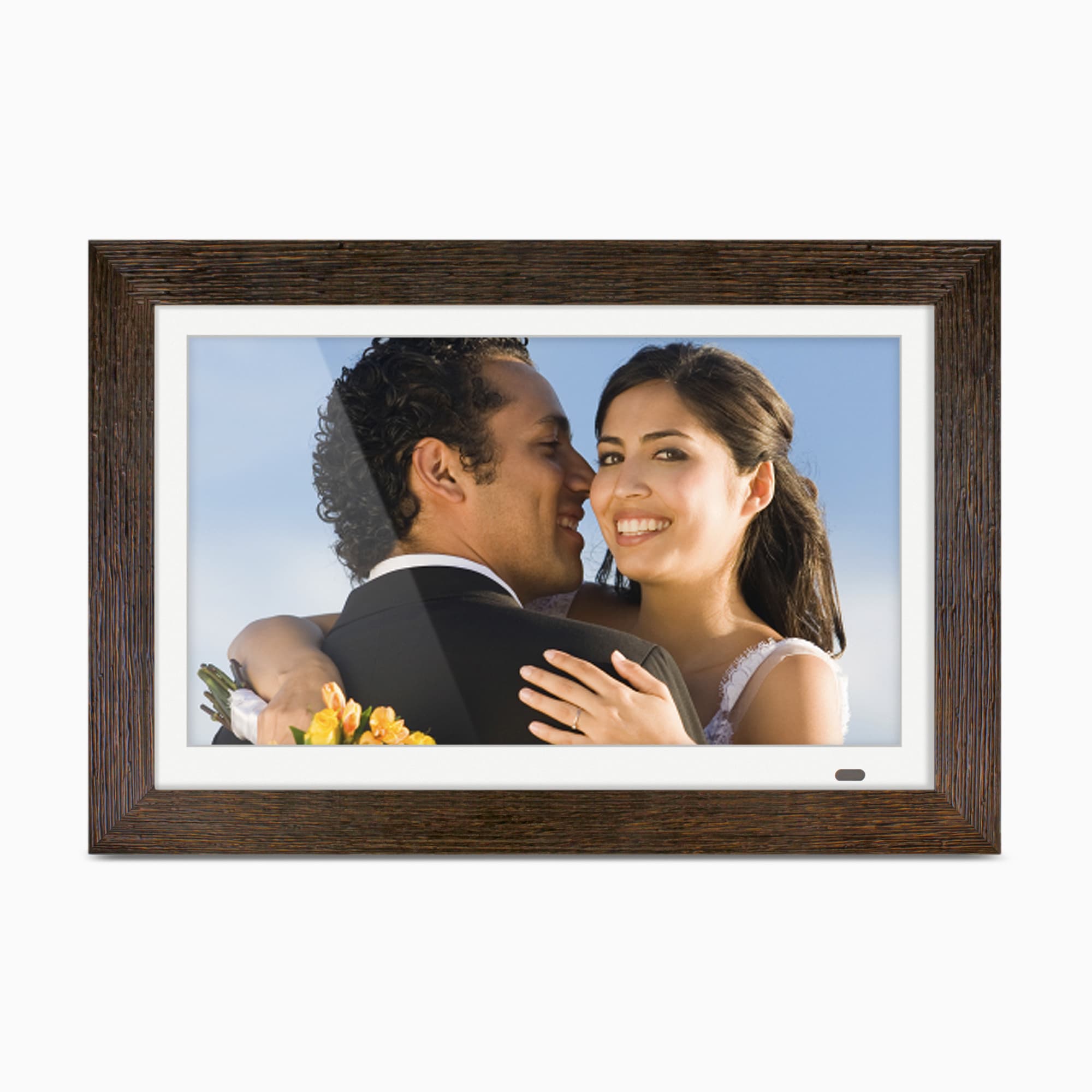
ADMPFD13F is worth comparing when the priority is a larger landscape display, local USB/SD access, the ability to copy a prepared collection into built-in memory, and optional music or video playback from supported files. The interchangeable border idea also offers a different visual treatment from a plain black frame, though the official image is promotional artwork and cannot verify the wood material, exact finish delivered or package condition.
Choose a different, better-documented arrangement if distant relatives must send photos over Wi-Fi, if portrait placement or an anti-glare surface is non-negotiable, or if a particular card capacity must be guaranteed. Before buying, match the offer to ADMPFD13F, ask for the adapter, stand, remote and both borders if they matter, confirm the wall hardware and card format, and check return terms. The ADMPFD13F is a current-reference model in this review because its exact Aluratek listing and one-option record were available on the date checked; no price, stock level, seller condition, measured performance, personal use or current future availability is asserted here.
Key specifications
Key details at a glance
| Display | 13.3-inch LCD per the exact product page and model-specific M10538 manual |
|---|---|
| Display diagonal | 13.3 in |
| Aspect ratio | 16:9 |
| Supported orientations | landscape |
| Wi-Fi bands listed | |
| Required frame subscription | No |
| Manufacturer storage claim | The exact product details and M10538 manual document 8GB of built-in memory and USB transfer from a nearby PC/Mac; available user storage and file-count capacity are not stated. |
| Listed frame dimensions | 14.75 x 1.25 x 10 inches (37.5 x 3.2 x 25.4 cm) as listed by Aluratek; no axis labels are supplied. |
Use the exact model’s instructions for operating limits, supplied equipment and version differences.
Sources for this review
Sources for this assessment
- Aluratek ADMPFD13F exact U.S. product page
- Aluratek ADMPFD13F single-option Shopify product record
- English ADMPFD13F Instructional Manual M10538 linked from the exact Aluratek page
- U.S. CPSC Recall Retrieval API exact-name ADMPFD13F query; empty result is a narrow search only
- Aluratek ADMPFD13F exact-page main promotional image

Check the frame against your actual setup
Compare orientation, connection needs and placement before choosing a model.