
Your needs, this model
Does it fit your priorities?
Can the ASDPF08F show new photos without Internet access?
Yes, for a nearby-media arrangement. Aluratek's exact-code Q10406 guide says an SD/SDHC card can start a slideshow and that the menu can select SD or USB media. The page lists no built-in memory, so keep the prepared card or drive attached; this is not a remote family upload or an internal-copy workflow.
Explore this need in the finder →Can a relative send photos to the ASDPF08F from another home?
The exact page and Q10406 guide document USB and SD-family media connected at the frame, not Wi-Fi, an app, an email address, a cloud album or an invited contributor route. The source-based assessment therefore does not credit remote sharing. A distant sender would need a different, documented service path; no such path is established here.
Explore this need in the finder →Does the ASDPF08F support vertical portrait placement?
Portrait placement is not documented in the exact product page or the matching Q10406 guide. Both show a horizontal frame, and neither describes a vertical stand position or automatic rotation. Treat the maker-shown landscape arrangement as the supported placement unless the seller can verify the exact unit's stand or mount; a 4:3 display ratio by itself does not establish orientation hardware.
Explore this need in the finder →Should I rely on the ASDPF08F page's SDXC 32GB claim for a particular card?
Confirm the exact card with the seller or manufacturer. Aluratek's current page lists SD, SDHC and SDXC up to 32GB, but the exact-code Q10406 guide names SD and SDHC without stating a capacity limit. No card or file was tested, so the broader page statement is not an independent compatibility check.
Explore this need in the finder →Does the manufacturer listing show that an ASDPF08F is available to buy now?
No. The exact Aluratek page said Out of stock and the sole Shopify option returned available=false on October 30, 2026. That is a dated manufacturer-store observation; it does not prove the model is discontinued or determine stock, condition or contents at another seller. This review keeps it as a reference model, not an active buying match.
Explore this need in the finder →Aluratek’s ASDPF08F is an identified 8-inch slim photo frame for a nearby-media routine: the current U.S. page lists a 1024 × 768, 4:3 TFT LCD, no built-in memory, and USB or SD-family playback. The English QSG names ASDPF08F and describes a mains-powered setup with local SD/SDHC slideshow playback and a menu choice between SD and USB media. This is a source-based assessment, not a hands-on review. On October 30, 2026, the exact manufacturer page said “Out of stock” and its single-option record returned unavailable, so the model is kept as a reference rather than an active buying match; that observation does not prove that every other seller lacks a unit.
A frame for files brought to the display
The current product page’s “sharing” sentence resolves to a local-media process, not an online album. Its instructions call for a USB flash drive or SD card, and the page’s technical list names USB 2.0 and SD/SDHC/SDXC. The code-matched, one-page ASDPF08F English Quick Start Guide says a slideshow starts after an SD/SDHC card is inserted, and it shows the menu selecting either SD or USB. That makes local photos possible without an Internet delivery step, but a person still has to prepare and carry the files to the frame.
Aluratek lists no built-in memory, so this is not a model for copying an incoming set into a documented internal library. Keep the USB drive or card you intend to use and confirm it works with the exact offered unit before building a permanent display around it. The product page claims SD, SDHC and SDXC cards up to 32GB; the exact-code QSG mentions only SD and SDHC, with no card-capacity ceiling. No card, format or image file was tested here. If SDXC or a particular card size matters, ask the seller or manufacturer to confirm that exact combination rather than treating the broader web-page statement as a verified result.
The page and QSG describe no Wi-Fi, app, account, email-to-frame address, shared cloud album or remote contributor workflow for ASDPF08F. The model therefore cannot be selected here as a documented way for a distant relative to send photos. Its physical USB/card path also has no described recurring frame subscription. This is a bounded reading of the exact model’s sources, not a claim about every accessory or a modified unit.
Screen size is not a placement specification
Aluratek identifies an 8-inch TFT true-color LCD at 1024 × 768 pixels and labels it 4:3; unlike some product pages, those stated pixel dimensions and ratio agree. The size input refers to the display diagonal, not the frame’s outer footprint. The manufacturer lists overall dimensions of 7.875 × 2 × 6.5 inches but does not assign axes or say what clearance a support adds, and a second value in the product record does not define whether its 907-gram weight is the product, shipping or package weight. Neither figure should be used as a substitute for checking an actual shelf or mount.
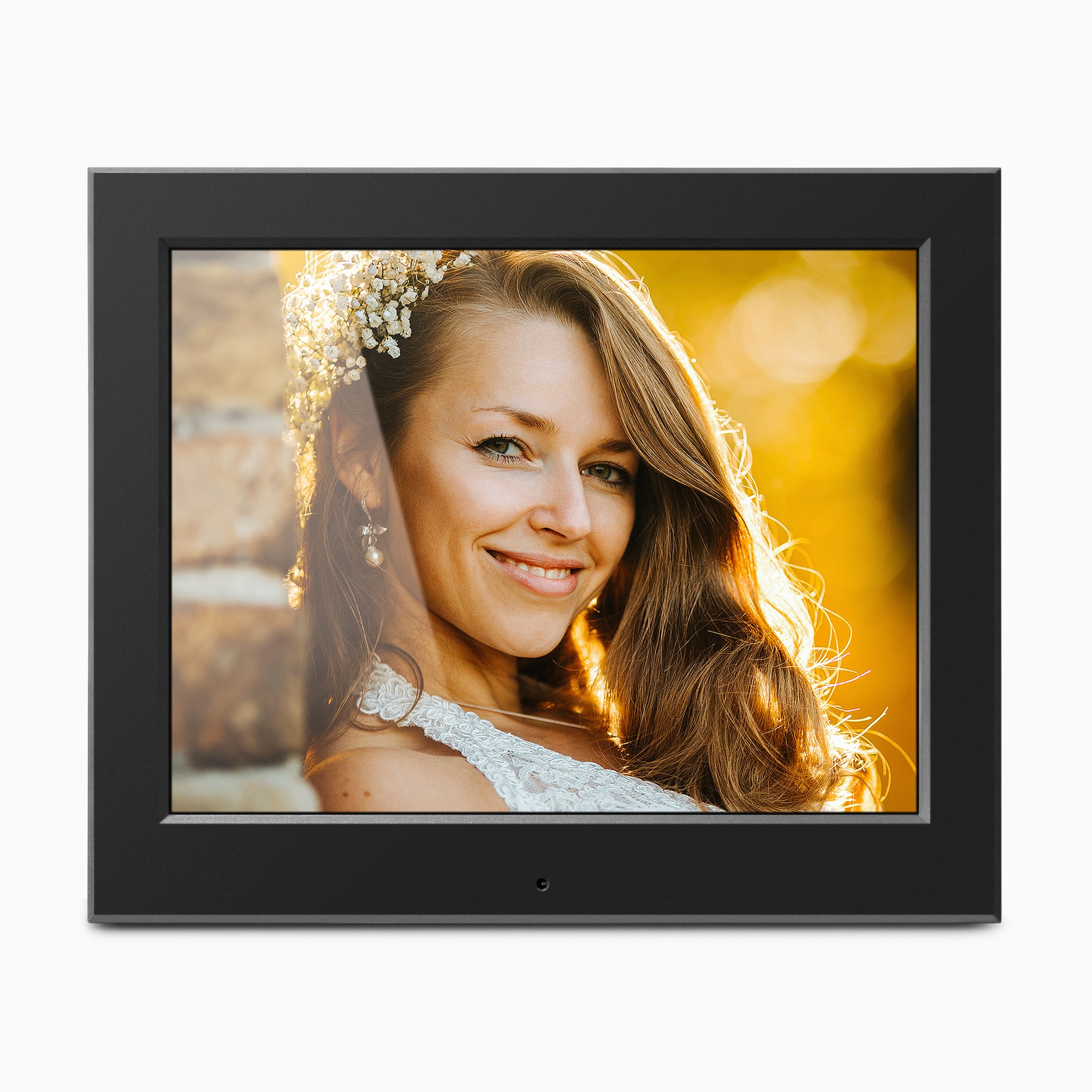
The exact-page artwork and QSG drawing show the frame horizontally. I treat that as the documented landscape arrangement; neither source describes vertical placement, a portrait-adjustable stand or automatic rotation. The product page calls the frame wall-mountable, but gives no installation pattern or confirmation that mounting hardware is supplied. Check the actual rear mounting points, orientation and exact package before planning a wall installation. The maker’s render is a useful model reference, not a photo of an individual unit or proof of its hardware.
Media extras and package details that need a check
The current page also advertises video, background music, integrated speakers, clock, calendar, weather and alarm functions. The one-page QSG is more limited: it explains photo slideshows and includes date/time setup, but does not enumerate supported photo, video or audio formats or explain where weather information comes from. Treat those as maker-listed extras, not a tested compatibility promise; verify the file type you need and whether weather has any connection requirement.
There is a package ambiguity worth resolving before considering a used or remaining-stock unit. The page says a remote control is included in its feature text, while the page’s separate box list names a power adapter and instructional manual. The exact-code QSG’s accessory list names the adapter and registration card, and its controls diagram describes buttons on the frame; it does not list a remote. Confirm the actual remote and any batteries with the seller if you need one. The QSG starts setup by plugging in the adapter, so confirm that the correct power supply is present as well. Its package list and the current page are descriptions, not inspection of a particular seller’s box.
Keep ASDPF08F distinct from similar Aluratek codes
ASDPF08F is not the neighboring ADPF08SF just because both are 8-inch Aluratek frames. The exact ASDPF08F page lists a 1024 × 768 display and no built-in memory; the separately assessed ADPF08SF page lists an 800 × 600 screen and describes a stand adjusted for vertical use. Those differences matter to screen detail, portrait placement and the local-media routine. The ASDPF08F source set does not inherit a sibling model’s stand, remote package or orientation claims.
For an already-owned ASDPF08F or a specific resale offer, first match the code on the unit and ask for the adapter, exact media-card support, remote-control status, mounting pieces and return terms. Aluratek’s listing and record were unavailable on October 30, 2026; this is not evidence of discontinuation, a current offer elsewhere or an inspected seller condition. If remote contributions, documented portrait placement or reliable internal storage are essential, compare a model whose own review establishes that specific route instead.
Sources checked October 30, 2026: Aluratek ASDPF08F U.S. product page, its one-option product record, and the exact-code English Quick Start Guide. The official product image is promotional art, not evidence of the supplied package, wall hardware, seller condition or operation.
Key specifications
Key details at a glance
| Display | 8-inch TFT true-color LCD, as stated on the exact Aluratek U.S. page |
|---|---|
| Display diagonal | 8 in |
| Aspect ratio | 4:3 |
| Supported orientations | landscape |
| Wi-Fi required | No |
| Wi-Fi bands listed | |
| Required frame subscription | No |
| Listed frame dimensions | 7.875 x 2 x 6.5 in. (20 x 5 x 16.5 cm), listed by Aluratek without identifying the axes or a stand/mount clearance |
Use the exact model’s instructions for operating limits, supplied equipment and version differences.
Sources for this review
Sources for this assessment

Check the frame against your actual setup
Compare orientation, connection needs and placement before choosing a model.