
Your needs, this model
Does it fit your priorities?
Can a relative in another home send pictures to this frame?
Aluratek describes a Frametime route for sending pictures and videos over an Internet connection. The linked guide requires the frame to join Wi-Fi, a Frametime account and an invited contributor's app account; the maker says no subscription is required. Local USB/SD viewing is a separate nearby route, not an offline remote upload.
Explore this need in the finder →Can someone at home update pictures without Wi-Fi or Internet?
Yes, for the documented local route: the model-specific quick-start guide says USB/SD pictures can be displayed by selecting USB/SD from the frame menu without connecting to Wi-Fi. This is not a guarantee about every setup screen or about distant contributors during an outage. Confirm the exact media format and seller package before buying cards or cables.
Explore this need in the finder →Would a compact 8-inch screen work when a larger frame is unnecessary?
Aluratek lists an 8-inch 1280 × 800 IPS touchscreen and a 16:10 panel. Its official feature article says the screen auto-rotates between portrait and landscape. The product page's outside dimensions lack axis labels, so the screen diagonal cannot stand in for measuring the frame body, stand and outlet position.
Explore this need in the finder →The Aluratek ASHDPWM8S is an 8-inch Wi-Fi touchscreen frame whose strongest practical distinction is that it has two documented ways to add photos: nearby USB/SD playback that the model-specific quick-start guide says does not need Wi-Fi, and a separate Frametime app route for contributors sending pictures over the Internet. Those routes are not interchangeable. This assessment concerns the exact U.S. model and its published instructions; it is not a hands-on test or a promise about future app service, stock or the contents of a third-party seller's box.
A small 16:10 display that can turn either way
Aluratek identifies the panel as an 8-inch IPS LCD touchscreen with 1280 × 800 pixels and a 16:10 aspect ratio. The manufacturer's official feature article says the picture rotates between portrait and landscape, consistent with the product title's auto-rotation wording. That gives a mixed-orientation household more flexibility than a fixed landscape-only frame, but the product description does not establish how every file is cropped or scaled. Check a few representative images on the actual frame if a specific composition matters.
The panel is intentionally compact relative to the 10- and 15-inch models in the current reviewed library. That may suit a side table, desk or gift recipient who prefers a small display; it is not a claim about legibility at any particular room distance. The page lists outside dimensions as 8.6 × 0.4 × 6.1 inches, without labeling the axis order. It also lists a 0.9-pound weight, while its own one-option Shopify record carries a 544-gram variant weight. The sources do not resolve whether the latter is packed weight or bare-frame weight, so neither number is suitable as a confirmed shelf-fit or carrying specification.
Local media is the offline answer; the app is not
The quick-start guide linked on the exact ASHDPWM8S page makes a useful distinction: it says pictures on a USB or SD card can be displayed without connecting to Wi-Fi when USB/SD is selected from the frame's main menu. This is meaningful for a nearby person with a removable-media source, or a household that does not want every new picture to depend on a remote account. It supports that documented local display route only. The guide does not say that every first-start screen works without Wi-Fi, describe cloud photos during a network outage, or promise full offline operation; none of those behaviors was tested.
For photos sent from another home, Aluratek points to its Frametime smartphone app. The quick-start has the owner connect the frame to Wi-Fi, create an app account and scan the frame's setup code. It then describes sharing the frame with another user by the email address or phone number associated with that person's account, after which the invited user can send photos. The exact product page says this remote route works over an Internet connection. That is a conventional networked family workflow, not an email-to-frame address and not remote delivery while the frame has no connection.
Aluratek says a subscription is not required for photo sharing. That is helpful if a required recurring frame fee is a deal-breaker, but it does not remove the app account, Wi-Fi and Internet steps for distant contributors. It also does not settle future service availability, terms or optional app tiers. For a gift, ask who will create the initial account and invite other senders before the frame is wrapped.
Memory, cards and computer transfer need a closer check
The maker lists 8GB of built-in memory and says photos and videos can play with background music through the frame's built-in speakers. It also lists clock, calendar, weather and alarm functions, so this is more than a passive slideshow screen. The photo frame remains the main category fit: those extra utilities are ancillary functions, not evidence that it is a full calendar organizer. An FAQ answer says the 8GB can hold 30,000 pictures, but it gives no image-size assumptions or usable-space figure. Treat that as Aluratek's claim rather than an archive-capacity guarantee.
Removable-media wording is inconsistent on the exact manufacturer page. One highlights block names SD, SDHC and SDXC; a feature line narrows this to SD/SDHC cards up to 32GB, and the FAQ says to use USB or SD cards of 32GB or smaller. Before building a library around a particular card, confirm the supported format, capacity and file system for the offered unit. Aluratek separately lists USB 2.0 and says a PC or Mac can transfer data into the internal memory, but the linked guide does not show that computer transfer procedure. Do not assume any USB socket or cable serves as a computer-display output: the manufacturer's own FAQ says the frame does not export the pictures to a TV or computer screen.
Power and package details are part of the decision
This is not a cordless frame. The exact page lists a power adapter in the box and its quick-start instructs the owner to plug it into an outlet. Aluratek also lists a tabletop stand and USB 2.0 cable; its page calls the model wall-mountable. The sources reviewed here do not identify a wall bracket, screw pattern or included wall hardware. Check the exact seller package and the location of a reachable outlet, and measure the body and stand separately before choosing a narrow shelf or mount.
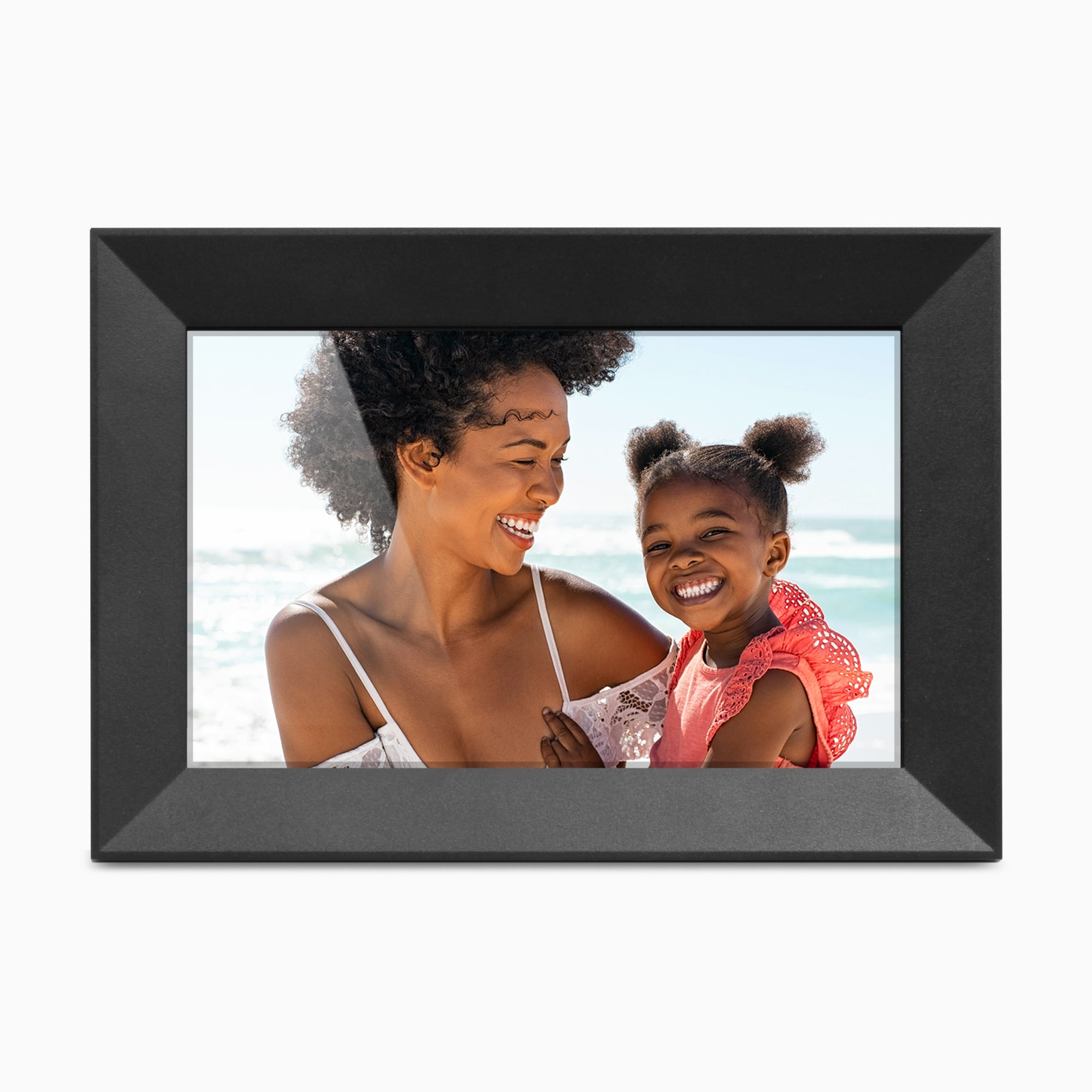
The main manufacturer's page showed the model in stock when checked on October 29, 2026, and its single-option product record identifies SKU ASHDPWM8S and barcode 8-12658-01450-2. This is a dated observation, not a guarantee that a particular retailer has the exact frame, a particular finish or every listed accessory. The available product image depicts a black bezel in landscape orientation, but a promotional render is not package evidence. Match the model code, seller, condition, returns and warranty at the time of purchase.
How it compares with nearby Aluratek choices
ASHDPWM8S is the smaller 8-inch member of a family that also includes the distinct 10-inch ASHDPWM10S. The 10-inch model's page-linked guide documents a similar USB/SD-without-Wi-Fi option and separate Frametime sharing, but this assessment does not transfer its exact package or screen evidence to the 8-inch frame. The larger AWS210F is another separate photo-focused model with its own 10.1-inch panel and documented rotation; its media and account details belong to its own manual. Compare exact suffixes rather than choosing from a similar-looking Aluratek product image.
ASHDPWM8S is worth considering if a small dual-orientation screen is enough and you value both nearby card/USB pictures and an optional Internet-based family-sharing route. Look elsewhere if the recipient needs a larger panel, does not want an outlet or app account, needs a documented anti-glare treatment, or requires certainty about an SDXC card or wall kit. The written evidence supports a two-route feature comparison; it does not establish display brightness, speed, reflection performance, file-by-file compatibility, long-term reliability or service uptime.
This review was prepared from Aluratek's exact U.S. listing, its product record, the linked ASHDPWM8S Quick Start Guide, an Aluratek feature article and a narrow exact-name CPSC query. The query returned no matching recall records on the checked date, but it is not an exhaustive safety search. No ownership, personal use, hands-on testing, measured performance, price, rating or customer experience is claimed.
Key specifications
Key details at a glance
| Display | 8-inch IPS LCD touchscreen |
|---|---|
| Display diagonal | 8 in |
| Aspect ratio | 16:10 |
| Supported orientations | landscape / portrait |
| Required frame subscription | No |
| Manufacturer storage claim | The manufacturer lists 8GB built-in memory, photo/video/audio playback, speakers and background-music slideshows; its FAQ claims up to 30,000 photos without specifying image size or user-available memory. Exact file-format and video-storage limits are not established. The page's SD-family wording also conflicts. |
| Listed frame dimensions | Aluratek lists 8.6 × 0.4 × 6.1 in (21.9 × 2.3 × 15.4 cm) without naming the axis order; the exact body orientation and stand footprint need seller/manual confirmation. |
Use the exact model’s instructions for operating limits, supplied equipment and version differences.
Sources for this review
Sources for this assessment
- Aluratek ASHDPWM8S exact U.S. product page
- Aluratek ASHDPWM8S one-option Shopify product record
- ASHDPWM8S English Quick Start Guide linked from the exact U.S. product page
- Aluratek feature article describing ASHDPWM8S portrait/landscape auto-rotation
- U.S. CPSC exact-name ASHDPWM8S Recall Retrieval API query (narrow search only)
- Aluratek ASHDPWM8S exact-page main product image

Check the frame against your actual setup
Compare orientation, connection needs and placement before choosing a model.