
Your needs, this model
Does it fit your priorities?
Can the frame be set up vertically for portrait photographs as well as horizontally?
Aluratek says the removable stand allows horizontal or vertical placement and that photos automatically rotate to match the frame. The maker's page-linked shared 2023 manual also lists a stand in its package section. This supports both orientation choices in the reviewed listing, but not a claim about a particular seller's delivered stand or wall hardware.
Explore this need in the finder →Can relatives send pictures remotely without a required frame subscription?
The exact product page describes internet-based app sharing and states that no subscription is required. The page-linked 2023 manual documents an Aluratek Smart Frame account, binding the frame and approving invited users, plus email-to-frame setup. That is an account-and-network workflow, not proof that the app or service remains available indefinitely. The current product page also names Facebook and Twitter messages, but the linked manual is explicitly a version without those routes, so this assessment does not rely on social messaging.
Explore this need in the finder →Is there a documented way to add new photos locally when internet is unavailable?
Yes, the exact page lists USB and SD-family media, and the shared manual describes USB or microSD access and separate internal-memory and USB/SD slideshow folders. This supports a nearby physical-media route for new pictures without remote internet delivery; the manual's first-start sequence still connects to Wi-Fi, so offline first setup or every menu working offline is not established. The card connector wording conflicts and should be checked for the exact unit.
Explore this need in the finder →Source-based review · checked 31 October 2026 · no hands-on testing claimed
The Aluratek AWDMPF107F is a compact, mains-powered Wi-Fi frame built around a seven-inch touchscreen. Its exact U.S. product page describes both internet-based family sharing and local USB/card playback, so it can serve two different photo routines. Those are separate paths, however: remote sharing depends on an internet connection, while the local-media route means placing files on physical storage rather than sending them from another home.
A small screen with two useful orientations
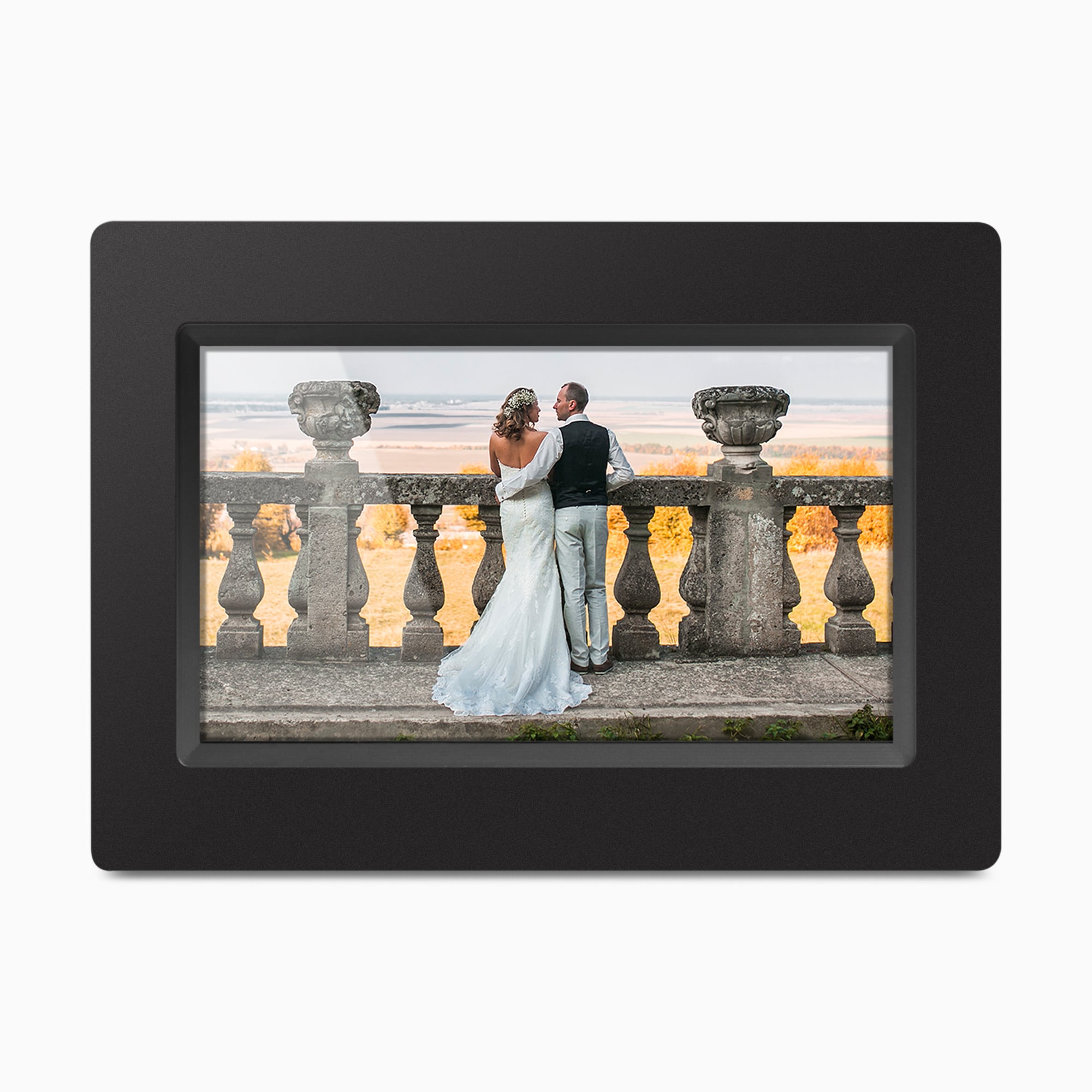
Aluratek lists a seven-inch display, 1024 × 600 pixels and a 16:9 format. The orientation claim is more distinctive than the screen size: the page says the removable stand allows horizontal or vertical placement and that photos rotate to match. The exact page's main image shows the frame in landscape orientation only; the portrait claim comes from the maker's text, not from that picture. The linked 2023 shared Wi-Fi manual labels a stand in its seven-inch frame diagram and lists a stand in the package section, but it does not name the AWDMPF107F model code inside the manual itself.
Seven inches makes this a more intimate display than a 10-inch-or-larger living-room frame. It may make sense on a bedside table, narrow shelf or desk where a large panel would dominate. The diagonal is not the outside footprint: Aluratek lists 8 × 1 × 5.5 inches without assigning the axes, so measure the intended spot and cord path rather than treating those figures as a width-height-depth drawing. The listing calls the panel 16:9, but 1024 × 600 is not an exact 16:9 pixel ratio; the source does not explain that mismatch. It also describes the panel as IPS in one section and TFT in another. I would treat both labels as manufacturer claims, not as proof of calibrated color or image quality.
Remote sharing is an account-and-network workflow
The current product page describes sharing photos and videos through Aluratek's smartphone app over an internet connection and says no subscription is required. The page-linked shared manual calls the app Aluratek Smart Frame. Its sequence joins Wi-Fi, creates an account, binds the frame using a device ID and has the owner accept additional users. The manual also explains email-to-frame setup. That is helpful for a family whose contributors live elsewhere, but “no subscription” is not the same as “no account,” “works without Wi-Fi,” or a guarantee that an app or cloud service will remain available later.
The exact current page also lists Facebook Messenger and Twitter Messages. The linked English guide, though, is a 2023 manual explicitly described as a version without Twitter and Facebook. Because the documentation does not bridge that difference or establish current social-channel service, I would not make either route the reason to choose this model. Confirm that the current app works with the exact frame code and the intended senders before setting it up for someone who needs remote help.
Local files are a different way to add photos
Aluratek lists 8GB of built-in memory, USB media and SD-family cards. The shared manual's seven-inch section likewise describes 8GB internal storage and USB or microSD access. Its album instructions distinguish cloud, internal-memory and USB/SD folders, which supports a nearby way to bring photos to the frame without sending them across the internet. That is not a claim that the frame can complete first setup offline: the manual's startup routine connects to Wi-Fi, and no offline setup or outage test was performed for this review.
There is a practical card-format discrepancy to resolve before buying media. The product page names SD, SDHC and SDXC and its FAQ gives a 32GB maximum, while the linked manual's seven-inch diagram labels a microSD slot and does not repeat that maximum. The manufacturer has not clarified whether these statements refer to the same exact connector or an adapter. The page also says PC/Mac files can be copied to internal memory over USB 2.0, whereas the manual describes a computer transfer using FTP while the computer and frame share a network. Don't assume the included USB cable is a direct transfer cable; check the exact unit's instructions if computer transfer matters.
What to verify in the box and at the installation spot
The current exact page lists a removable frame stand, power adapter, USB cable and instructional manual; it also calls the frame wall-mountable. It does not identify included wall fasteners or a bracket. The linked shared manual adds a Quick Start Guide to its package list, which the product-page box list does not name. The frame is not described as cordless, and the manual says to connect the adapter to an AC outlet. Plan for a nearby outlet even if you expect to use offline files.
The result is a plausible fit for a small, powered display when portrait placement, a local-media option and internet sharing all matter. It is less suitable if the priority is a larger panel for a room, a verified memory-card form factor, guaranteed offline first-time setup or an unquestioned social-media route. For a bigger screen, Aluratek's separately reviewed AWS210F lists a 10.1-inch, 1280 × 800 panel and 16GB; that offers a larger active image, not a promise about any exact stand, seller package or service. Compare the exact model pages before deciding, and check dimensions and app support with the seller. This assessment uses manufacturer documentation and makes no claim of ownership, measurement, personal use or performance testing.
Key specifications
Key details at a glance
| Display | 7-inch LCD touchscreen; the exact-page highlight calls it IPS while a detailed specification calls it TFT, and the linked shared manual calls the 7-inch panel IPS. The wording is not reconciled. |
|---|---|
| Display diagonal | 7 in |
| Aspect ratio | 16:9 as stated on the product page; unresolved inconsistency with the listed 1024 x 600 pixel dimensions. |
| Supported orientations | landscape / portrait |
| Wi-Fi required | Yes |
| Required frame subscription | No |
| Manufacturer storage claim | Aluratek lists an 8GB internal memory, music/speakers and photo/video playback. Pixel aspect-ratio, display technology wording, card connector/capacity, current app and social-service support, USB computer-transfer method and delivered package are not fully reconciled; output quality was not tested. |
| Listed frame dimensions | 8 x 1 x 5.5 in (20.5 x 2.5 x 14 cm); Aluratek lists the dimensions without assigning axis order. The 7-inch diagonal is screen size, not the outside footprint. |
Use the exact model’s instructions for operating limits, supplied equipment and version differences.
Sources for this review
Sources for this assessment
- Aluratek exact AWDMPF107F U.S. product page
- Aluratek AWDMPF107F one-option Shopify product record
- Shared 2023 Aluratek Smart Frame English Wi-Fi manual linked under the AWDMPF107F label on its exact product page
- Narrow U.S. SaferProducts.gov/CPSC exact-name AWDMPF107F recall API query
- Aluratek exact AWDMPF107F page's main product image

Check the frame against your actual setup
Compare orientation, connection needs and placement before choosing a model.