
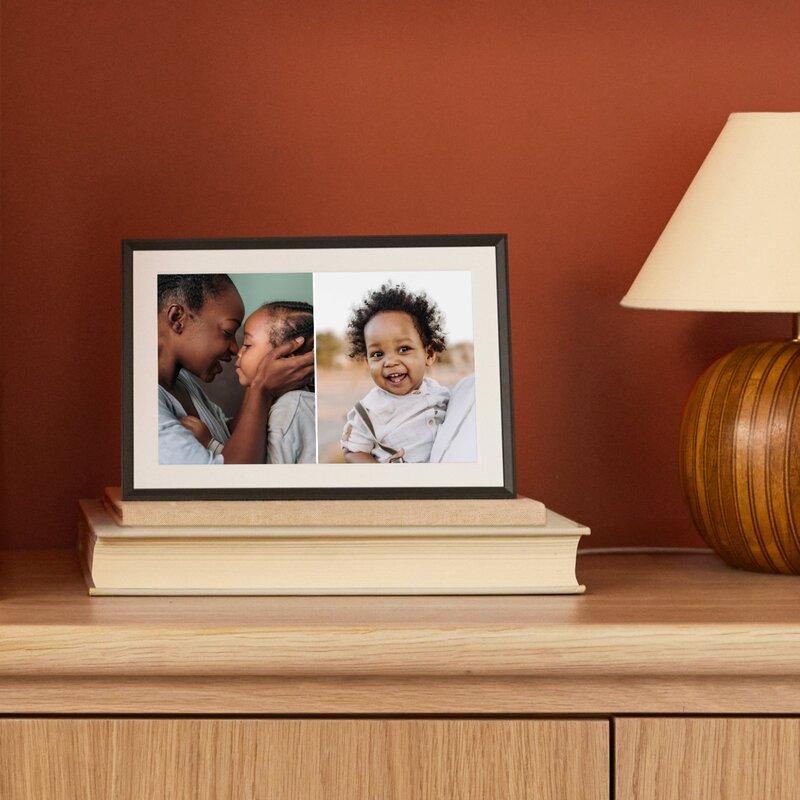
Your needs, this model
Does it fit your priorities?
What does the Carver Mat add over the regular Carver?
Aura's current comparison describes the same 10.1-inch, 1280 × 800 landscape screen, portrait-photo pairing and no-subscription cloud service for both. Carver Mat adds the paper-textured mat border. Choose it for that framed look, not because it has a larger panel, higher resolution or physical portrait support.
Explore this need in the finder →Can a Carver Mat rotate to display one portrait image vertically?
No. Aura identifies Carver Mat as a landscape frame. Its Photo Match feature can show portrait pictures side by side, while a single portrait image is handled within the horizontal display. If the frame must stand vertically, consider a model whose supported physical orientations include portrait.
Explore this need in the finder →Will family uploads continue to reach the frame during an internet outage?
No new cloud uploads should be assumed during an outage: Aura says the frame needs Wi-Fi and internet to operate and receive new content. The material reviewed does not establish what already cached photos will do without a connection, so this is not a verified offline-first choice.
Explore this need in the finder →Scope: This review is based on Aura's current US product and support material, not on hands-on use. Carver Mat is assessed separately from plain Carver because it is a distinct retail model with its own finish-level SKUs and visible paper-textured mat border.
The difference from Carver is mainly the frame around the screen
Aura's current comparison treats Carver Mat as the same basic display and sharing arrangement as Carver, with the addition of a paper-textured mat border. Both are listed with a 10.1-inch, 1280 × 800 LCD in landscape orientation, automatic portrait-photo pairing, compact tabletop placement and Aura's no-required-subscription cloud service. The listed outer dimensions and weight are also the same: 10.5 × 7.3 × 2.1 inches and 1.61 pounds. In the evidence reviewed, the mat changes how the unit reads as home decor; it does not make the display larger, add portrait rotation or change the documented connectivity plan.
That makes the choice unusually clear. Choose the mat version if the inset border better suits the room or recipient; choose plain Carver if a simpler bezel is the preference. The mat is not a technical upgrade, and its 10.1-inch measurement describes the screen diagonal rather than the outside dimensions. Aura's model comparison guide is the clearest source for that relationship.
Portrait photos do not make it a portrait frame
Carver Mat remains landscape-only. Aura's Photo Match feature can pair two portrait photos side by side so they occupy more of the horizontal screen, and support material describes an app control for turning that feature off. The official help page says the pairings are automatic, so a household that wants a particular two-photo sequence should not assume it can hand-select each match. When pairing is disabled, Aura's repositioning instructions describe a single portrait shot centered on the wide screen, with side space unless it is cropped or enlarged.
This distinction is important for a gift. “Portrait pairing” can sound like the whole frame rotates, but Aura identifies the physical display as landscape. If the recipient's main need is an upright frame on a narrow shelf, this is the wrong orientation even if their library contains many phone portraits. If the goal is a horizontal family display that sometimes makes a pair from portrait uploads, the feature may be more relevant.
Sharing depends on power, internet and 2.4 GHz Wi-Fi
Aura describes remote additions through its app, email to the frame, web uploader, synced photo libraries and text-to-frame in the United States and Canada. Invited members can contribute from elsewhere; Aura says the cloud photo and video storage is unlimited without a required frame subscription. The product page also lists support for video clips up to 30 seconds with sound and for iOS Live Photos. A compatible phone or tablet and the Aura app are required during setup and for full feature control, while the touch bar supplies limited controls after configuration.
The ongoing conditions matter as much as the sharing conveniences. Aura says the frame needs mains power, internet access and a 2.4 GHz network to operate and receive new photos. The product listing specifically asks for a 2.4 GHz-capable router. That is a practical mismatch for a household whose router has only a 5 GHz network or whose intended location has poor Wi-Fi. Aura's pages reviewed here do not establish how the unit behaves with cached pictures during an outage, nor do they document a local-card or USB import route. Treat offline playback and local storage as unknowns, not as backup features.
Confirm the mat finish and package, not just the family name
Aura currently lists Charcoal with Paper Mat and Sandstone with Paper Mat. Its pages note that older packaging may use Gravel for the dark finish and Clay for the light finish. The official product data gives the Charcoal/Gravel version SKU AFM900-MBLK and the Sandstone/Clay version SKU AFM900-MWHT. A matching exact-model image of each finish appears in this assessment; the Sandstone image is shown here, while the lead image shows Charcoal.
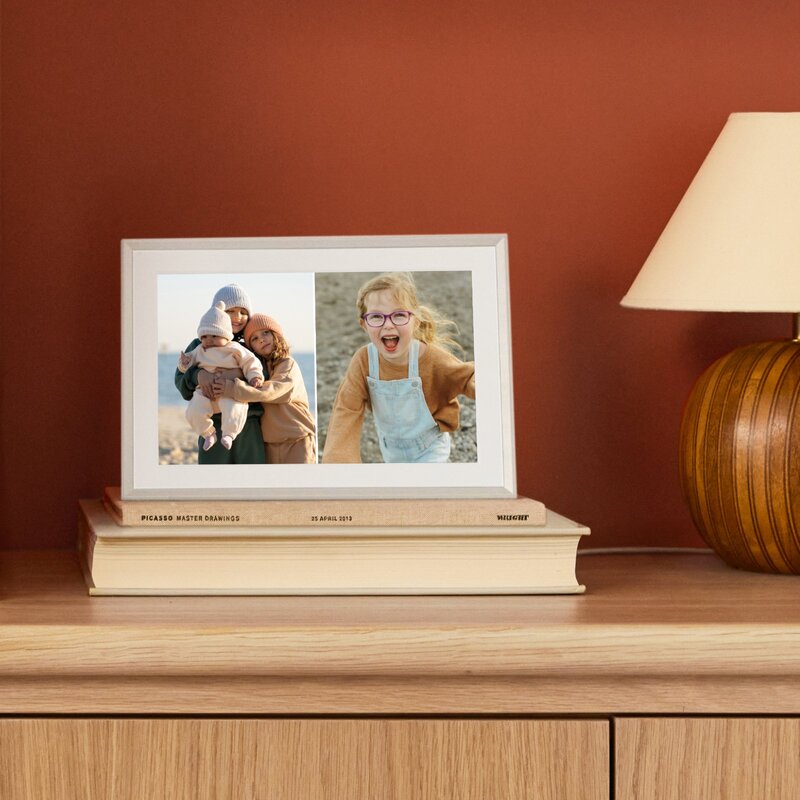
Aura lists tabletop as the stand type and says a wall mount is not included. The current sources do not resolve the exact contents of every carton, the cable length or the power-supply version, so confirm those package details and the outlet route before buying. I found no current edition-specific manual to settle them. Likewise, Aura does not identify this panel as anti-glare, and the sources do not establish an offline viewing guarantee.
Bottom line
Carver Mat suits a household that wants a small horizontal family display with a more framed, paper-mat presentation and remote contributions over Aura's cloud. Its functional strengths and limits are those of Carver, not a different screen class: 1280 × 800 landscape viewing, portrait-photo pairing, power and 2.4 GHz internet dependence, and no required frame subscription. It is not the answer to a need for a vertical screen, local-only photo loading or confirmed outage operation.
Before ordering, match the live offer to Charcoal/Gravel (AFM900-MBLK) or Sandstone/Clay (AFM900-MWHT), then verify the seller's current power and tabletop package and return terms. This assessment does not report a price, current availability, test result or service guarantee.
Key specifications
Key details at a glance
| Display | LCD |
|---|---|
| Display diagonal | 10.1 in |
| Aspect ratio | 16:10 |
| Supported orientations | landscape |
| Wi-Fi required | Yes |
| Wi-Fi bands listed | 2.4 GHz |
| Required frame subscription | No |
| Manufacturer storage claim | Free unlimited Aura cloud photo and video storage |
| Listed frame dimensions | 10.5 × 7.3 × 2.1 in |
| Listed weight | 1.61 lb |
Use the exact model’s instructions for operating limits, supplied equipment and version differences.
Sources for this review
Sources for this assessment
- Carver Mat 10-inch Charcoal with Paper Mat — Aura US product details
- Carver Mat 10-inch Sandstone with Paper Mat — Aura US product details
- Aura Frame Comparison Guide: Which Aura Frame Should I Choose?
- Detailed overview of the Aura app features
- Technical Requirements
- Showing two portrait photos next to each other (Carver Frames)
- How can I reposition the photos on my frame?
- CPSC Recall Retrieval API query: ProductName=Aura Carver Mat
Check the frame against your actual setup
Compare orientation, connection needs and placement before choosing a model.