
Your needs, this model
Does it fit your priorities?
Can I display portrait photos without committing to a portrait-only frame?
Aura says Parker auto-rotates between portrait and landscape. The 4:3 screen is close to the proportions of many phone-camera images, but check how your own mix of photos is framed before treating every image as edge-to-edge.
Explore this need in the finder →Can relatives add pictures remotely without a paid frame plan?
Aura lists remote sharing through its app, email, web uploader and (in the US and Canada) text-to-frame, and says unlimited cloud photo/video storage has no subscription fee. The frame itself still needs Wi-Fi and Aura's app for setup.
Explore this need in the finder →Is Parker a good choice for a location that must receive photos without internet?
No. Aura says Wi-Fi is required because new content is delivered through its cloud. The reviewed material does not establish offline behavior for already cached photos, so this is not a verified offline-first recommendation.
Explore this need in the finder →Aura’s Parker is a compact smart frame with a specific set of priorities: a 10.2-inch 4:3 display, portrait-and-landscape auto-rotation, an anti-glare surface, and remote photo sharing through Aura’s connected service. It is better understood as a cloud-connected family display than as a memory card reader or an offline slideshow appliance. This is a source-based assessment of the US Parker family, not a hands-on test. The official US page names two finishes—Reeded Slate and Reeded Limestone. The product image here shows Slate; the shared assessment covers both named finishes because Aura’s reviewed materials describe the same Parker functions for each and do not identify a finish-specific hardware difference.
A useful small frame when phone-shaped photos matter
The 4:3 panel and automatic orientation change give Parker more flexibility than a landscape-only frame. Set it upright for portrait images or horizontally for a wider view, and the frame adjusts its display orientation. Aura describes the 1280 × 960 resolution as 20% more pixels than its Carver model, whose landscape display is 1280 × 800. That is a concrete difference, not proof that Parker will make every photo look sharper in every room: source resolution, viewing distance, brightness and the photograph itself still matter. The ratio is a helpful match for many phone-camera images, but a family library is rarely one uniform crop. Panoramas, wide video stills and older prints may not share a 4:3 shape. Before sending a large batch, check how the frame and app present a few representative photos; do not assume every file will fill the panel without either cropping or unused space. The anti-glare surface is relevant on desks and shelves near windows or lamps, but it is not a promise that direct sunlight or reflections disappear. At 10.2 inches, Parker is a modest-scale display rather than the focal point of a large room. Aura lists an 11.4 × 9.4 × 1.2-inch body and a 1.4-pound weight, with a tabletop stand included. That combination suits a desk, shelf or side table where footprint matters. If the plan is to hang a frame, the reviewed Parker page does not establish a wall-mount kit or mounting instructions; confirm the exact package and installation method before choosing a spot.Remote sharing is the point—and the dependency
The strongest case for Parker is a group that wants to add family photos from a distance. Aura describes sending through its app, email, website, iCloud and Google Photos, plus text-to-frame in the US and Canada. Aura also says there is no required subscription and no limit on cloud photo/video storage. Those terms make it possible to keep a shared display current without paying a recurring frame plan, but they place the workflow inside Aura’s accounts, app and cloud service. That trade is worth deciding before purchase. Aura says Parker needs Wi-Fi because new content arrives through its cloud, and its app is required for setup. The product page supports a 2.4- or 5-GHz broadcast-capable router. If the intended location has unreliable internet, if household members do not want an app-mediated setup, or if the owner expects files to move directly from a card or USB drive, this is not a well-supported match: the inspected sources document the cloud route, not local-media operation. The pages also do not explain what happens to already downloaded photos during an outage, so do not buy on an assumption about offline playback. Aura says its frames can play video clips up to 30 seconds with sound and can show iOS Live Photos. That is a small bonus for short moments, not evidence that Parker is meant for long video playback. A frame is still a photo display first; families who expect to send extended clips should check the current app limits and plan features rather than extrapolate from the short-clip specification.What the finish and image do—and do not—tell you
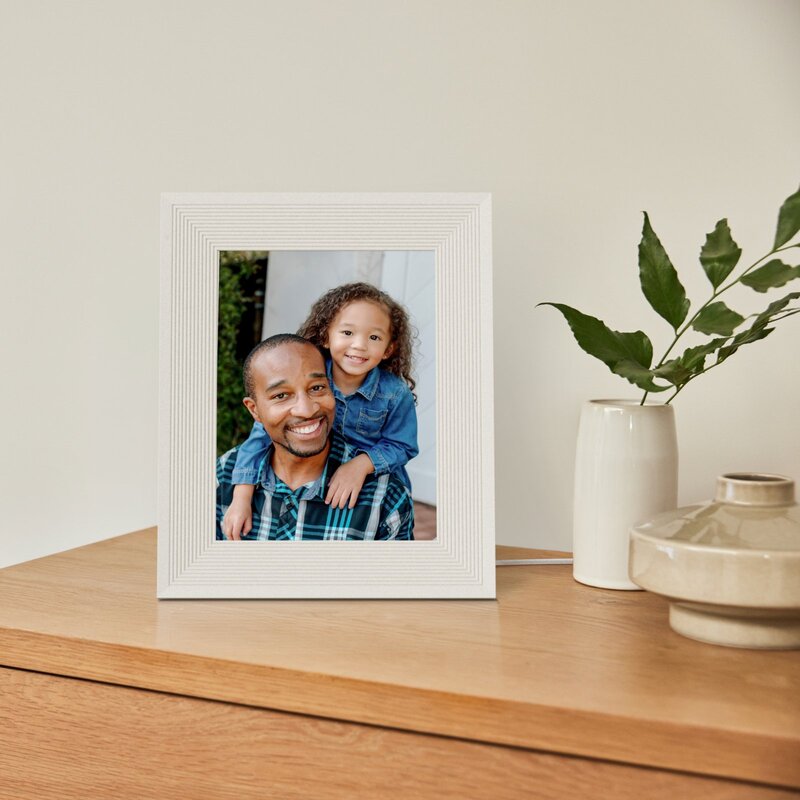
Reeded Slate and Reeded Limestone are the two finish names on Aura’s US Parker pages. The textured bezel is a design choice; the documented 10.2-inch display, resolution, connectivity and orientations belong to the Parker family. The hero image shows Reeded Slate, while the gallery below pairs it with the exact Reeded Limestone finish image from Aura’s US page so the two options are not visually conflated. These are manufacturer product images, not hands-on photographs; the sample photos and styling do not show included accessories or what arrives in a particular seller’s box. Aura’s US Limestone page also labels its product record with SKU AFM310-RWHT; we found no corresponding Slate SKU, so that identifier should not be generalized across both finishes. The specifications establish the dimensions of the frame body, but do not answer every placement question. Check the power lead’s route and outlet position, the stability of the surface, and whether the included stand’s orientation works for the intended shelf. If sharing access matters, decide who should be invited and which photo sources the household is comfortable connecting. “Unlimited” storage describes Aura’s stated service capacity; it should not be mistaken for a personal backup, a guarantee of permanent archival access, or a substitute for keeping original photos elsewhere.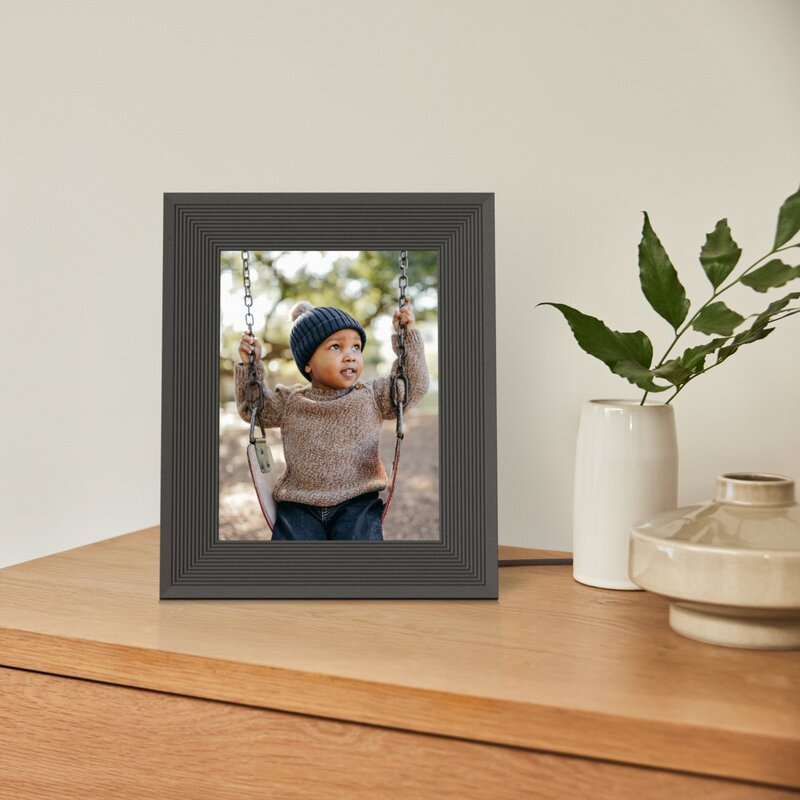
Bottom line
Parker is a sensible candidate for someone who values a small, anti-glare, dual-orientation display and wants relatives to contribute photos remotely without a subscription. The case is strongest when the frame will live on a tabletop within dependable Wi-Fi range and its owner is comfortable with Aura’s app-and-cloud approach. Its limitations are equally important: the reviewed sources do not establish local card/USB operation, internet-independent receipt of new photos, offline playback behavior, or a wall-mount option. Choose another model if any of those are essential, and verify the exact Reeded Slate or Reeded Limestone offer and package before ordering. No physical testing, ownership or measurements were performed for this assessment.Key specifications
Key details at a glance
| Display | LCD |
|---|---|
| Display diagonal | 10.2 in |
| Aspect ratio | 4:3 |
| Supported orientations | portrait / landscape |
| Anti-glare surface stated | Yes |
| Wi-Fi required | Yes |
| Wi-Fi bands listed | 2.4 GHz / 5 GHz |
| Required frame subscription | No |
| Manufacturer storage claim | free unlimited Aura cloud storage |
| Listed frame dimensions | 11.4 × 9.4 × 1.2 in |
| Listed weight | 1.4 lb |
Use the exact model’s instructions for operating limits, supplied equipment and version differences.
Sources for this review
Sources for this assessment
Check the frame against your actual setup
Compare orientation, connection needs and placement before choosing a model.