
Your needs, this model
Does it fit your priorities?
Can I place the 15-inch frame vertically?
The current U.S. 15-inch product page explicitly says photos automatically rotate for vertical or horizontal frame orientation. Consider the wide 16:9 panel’s cropping with portrait-heavy albums.
Explore this need in the finder →Will it show photos if Wi-Fi drops?
Skylight says existing photos continue to display offline, but Wi-Fi is required to receive new photos. This is cached/offline playback, not internet-independent delivery.
Explore this need in the finder →Can it run without being plugged in?
Skylight support says its Frame needs an electrical outlet and has no battery. The large 15-inch screen is not cordless; check the exact power supply and cable included with the offer.
Explore this need in the finder →The Skylight Frame 15-inch is the larger original-generation model in the manufacturer’s current Frame family. Its clearest documented advantage over the original 10-inch frame is not simply a bigger diagonal: the 15-inch version is listed at 1920 × 1080, has 16 GB of storage and explicitly supports automatic rotation when placed vertically or horizontally. It remains a corded, internet-connected sharing frame rather than a local-first display.
Identify the 15-inch original generation
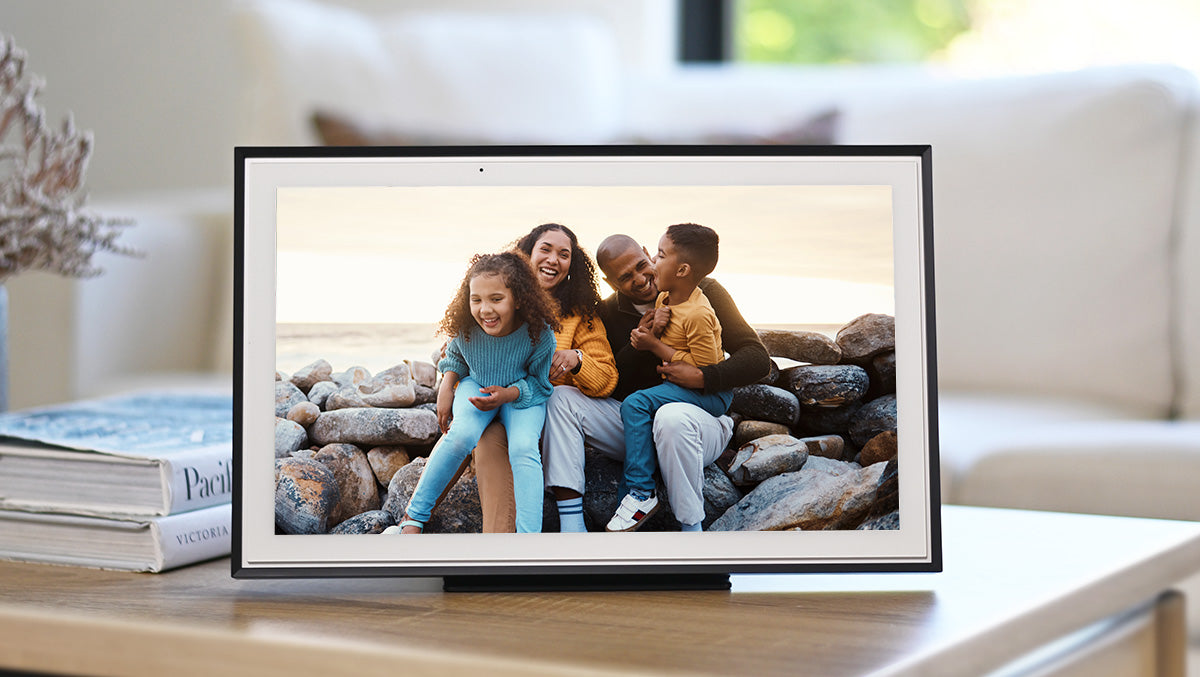
The current U.S. manufacturer page identifies a separate “The Skylight Frame 15” size option, and its product record lists SKU 150FA. The 15-inch model is distinct from the 10-inch original (SKU family 100D*) and the later 10-inch Frame 2 (SKU family 102D*). The page we reviewed did not present a selectable finish family for the 15-inch model, so we do not invent color variants. Its official image appears to show a dark bezel, but that alone is not a selectable-finish record.
The product image is Skylight’s promotional product image. It gives a useful shape reference but is not an independent photograph, does not prove the exact contents of a seller’s box and should not be used to infer a stand, wall bracket or hardware package. We found no model-specific printed manual linked from the current U.S. product page during this review.
Large display and physical orientation
Skylight specifies a 15-inch diagonal touchscreen at 1920 × 1080 pixels. The manufacturer calls out automatic rotation for vertical and horizontal placement, which is materially different from the original 10-inch U.S. page, where we could not verify portrait rotation. That does not answer every photo-framing question: the 15-inch screen’s listed pixels form a wide 16:9 rectangle, while portrait phone photos have a different shape. The product says the touchscreen can crop, so check how the household’s portrait-heavy album will be framed rather than assuming every image fills the screen without cropping.
The published outer dimensions are 15.8 × 9.9 × 1.4 inches, with no axis mapping supplied in the captured U.S. text. Use them as the manufacturer’s size label and leave additional space for the stand and power lead. There is no independent measurement here, and the listing does not provide a verified weight or wall-installation drawing. Skylight does not call out an anti-glare coating on this model page; that feature remains undocumented rather than proven absent.
Remote sharing, offline display and capacity
The official description says family can send photos through the free Skylight app or email without a required subscription or account. Wi-Fi is required for new photos to arrive. Skylight also says previously loaded photos remain displayable when the frame is offline, which can help during a temporary internet interruption but does not make the frame capable of receiving fresh pictures without a connection.
Storage is listed as 16 GB, with an “up to 8,000 photos” estimate. The number of files that fit depends on their sizes; the estimate is not an independent capacity test. JPEG, BMP, PNG and GIF are named as accepted formats. The reviewed 15-inch page does not document USB or SD import, so don’t purchase it on the assumption that a slot or port will provide a local-media workflow. The separate support statement about nonfunctional USB/SD ports concerns the original Frame family and is not used here to claim a 15-inch port status.
Power, fit and what to verify before ordering
Skylight’s support FAQ says the frame requires an electrical outlet and has no battery. That means the larger panel is not a portable, cordless display. The current U.S. 15-inch page does not give the same explicit U.S.-plug package note shown on the 10-inch page, and the sources reviewed did not establish exactly which adapter, cable, stand or mounting hardware a third-party offer includes. For a close shelf, cabinet or wall location, verify the model-specific package and usable dimensions with the seller rather than treating a promotional image as an inventory list.
No brightness or contrast measurements, outdoor-use assessment, color test, reliability test or hands-on setup trial was performed. The resolution and auto-rotation are manufacturer-published specifications, not test results. If the frame will sit far across a room, compare the actual viewing distance and physical footprint against your space, and check whether vertical placement leaves room for the support method included in the exact offer.
How it compares with other Skylight options
Choose the original 10-inch Frame for a smaller surface footprint and lower stated resolution/storage; its U.S. page does not establish auto-rotation. Choose Frame 2 if a 10-inch display with 1920 × 1200, an anti-glare claim and interchangeable Snap Frame styles matters more than a larger panel. Frame 2’s pages conflict about whether videos and captions are available without Plus, so verify those service terms independently; that issue is not transferred to the 15-inch original model. The 15-inch Frame’s documented rotation and larger size make it the better-supported Skylight option here for an intended vertical placement, though a large display still needs adequate furniture and power access.
Who should shortlist it?
This model may fit a household wanting a larger display for shared photos, a published portrait/landscape rotation claim and remote app/email contributions without a required frame subscription. It is a poor match if new pictures must arrive without internet, if cordless operation is essential, if anti-glare is a must-have, or if you require confirmed local USB/SD transfer. Before buying, match SKU 150FA and the original 15-inch generation, confirm the outlet adapter and support method for the exact U.S. package, check that the installation area has room for the frame and lead, and review current seller, return and warranty terms. This assessment is based on manufacturer sources; no unit was purchased, owned or tested.
Key specifications
Key details at a glance
| Display | Touchscreen display (panel type not specified on reviewed US 15-inch page) |
|---|---|
| Display diagonal | 15 in |
| Aspect ratio | 16:9 (derived from listed pixel dimensions) |
| Supported orientations | portrait / landscape |
| Wi-Fi required | Yes |
| Required frame subscription | No |
| Manufacturer storage claim | 16 GB; manufacturer estimates up to 8,000 photos |
| Listed frame dimensions | 15.8 × 9.9 × 1.4 in (manufacturer list; axes not assigned in captured US text) |
Use the exact model’s instructions for operating limits, supplied equipment and version differences.
Sources for this review
Sources for this assessment
Check the frame against your actual setup
Compare orientation, connection needs and placement before choosing a model.