
Your needs, this model
Does it fit your priorities?
Can people elsewhere add photos without handing over a memory card?
The exact page describes remote sharing by smartphone app, and its linked manual explains an account, frame binding and email-to-frame address. This is an internet-connected route, not a guarantee that older Facebook/Twitter features still work.
Explore this need in the finder →Does the reviewed evidence establish photo delivery without internet?
No. The page lists built-in memory and USB/card routes, but its current linked guide starts by connecting Wi-Fi and does not promise offline setup or playback. Do not treat AWS10F as a verified internet-independent choice without confirmation.
Explore this need in the finder →Can it be treated as a portrait-capable frame?
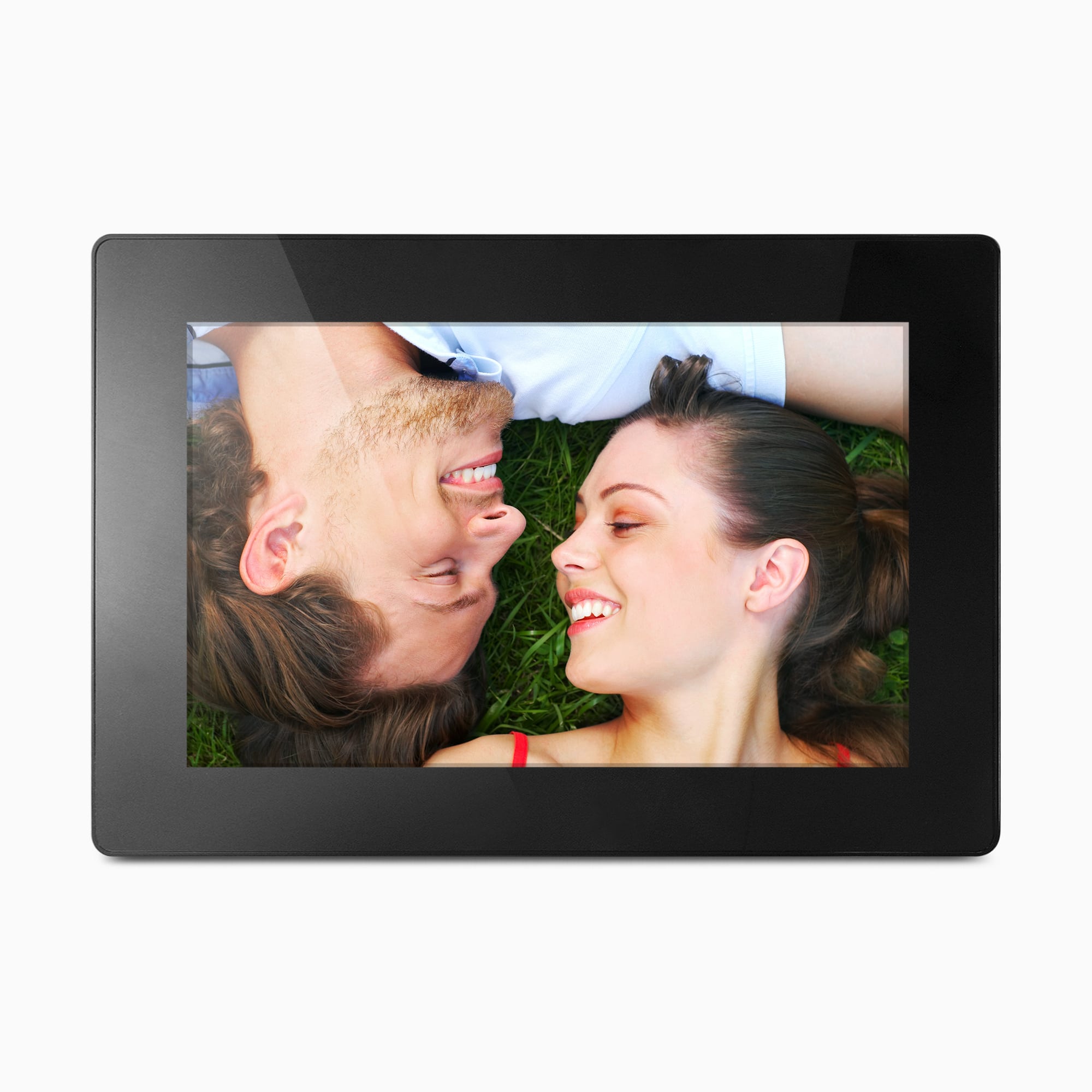
Not from these sources. The official product image shows a landscape arrangement, while the exact page and linked instructions do not establish portrait placement or a portrait-capable stand.
Explore this need in the finder →The Aluratek AWS10F pairs a 10-inch touchscreen with Wi-Fi, 16GB of listed memory, and USB/card options. Its clearest fit is a mains-powered display for remote photo contributions; Aluratek also advertises local media and no required subscription. The current page lists two resolutions, labels 1280 × 800 as 16:9, and links a broad family manual rather than a code-specific guide. This is a source-based assessment, not a hands-on review.
Remote sharing brings an account-and-network setup
Aluratek’s exact U.S. page describes app-based photo sharing over the internet. Its linked quick-start starts with AC power and Wi-Fi, then has the owner install the Aluratek Smart Frame app, create an account, bind the frame by ID, and approve the request on the device. The linked 2024 manual also describes app sending, a frame email address, and approval for additional contributors. This is a connected setup, not a screen that receives a distant relative’s photo without configuration.
The product page says sharing has no required subscription; that does not remove the app, account, or network requirement. It also mentions Facebook and Twitter, while the linked manual’s filename says “Without_Twitter_Facebook” and its instructions focus on app/email. Verify current services if contributors depend on a specific social platform.
Local storage is useful, but complete offline use is not settled
The maker lists 16GB of internal memory, PC/Mac transfer over USB 2.0, USB flash-drive viewing, and SD/SDHC/SDXC support. A prepared card or nearby computer can avoid sending every image through the app. The 16GB is a nominal claim, not a measurement of free space or photo count.
Those routes are not an unconditional “works without internet” promise. The linked family manual starts with Wi-Fi setup and distinguishes internal-memory and USB/SD folders, but does not guarantee offline first setup and playback on every AWS10F revision. No outage or media test was performed. If offline use is essential, ask Aluratek about the exact code or choose instructions that explicitly establish it.
The screen’s shape and resolution need confirmation
Aluratek calls the display a 10-inch IPS LCD touchscreen. Its current highlights, details, and specifications list 1280 × 800 pixels and call the panel 16:9. The same page’s FAQ separately describes 1024 × 600. Those figures do not agree; moreover, 1280 × 800 is a 16:10 pixel ratio, not 16:9. The available sources do not establish which panel specification applies to the exact offered unit, so this assessment does not use resolution or aspect ratio as a matching claim. If fine detail, full-screen cropping, or a specific photo shape matters, get a written confirmation for the AWS10F code before relying on those numbers.
Plan for a cord and verify the mount or stand
The product-page-linked quick-start says to power the Wi-Fi frame from an AC outlet, so this is not a cordless display. The official product image shows the frame horizontally. Aluratek describes wall mounting and its FAQ says VESA compatible, but it does not establish included wall-mount hardware or a particular installation pattern. Nor does the exact AWS10F page document portrait placement. A general “auto-rotate screen” entry in the linked family manual is not enough to conclude that this model has a rotating stand or a portrait-ready arrangement.
The page lists outside dimensions as 10.75 × 0.75 × 7.375 inches without identifying the axes. Its box panel names a power adapter and instructional manual; the broad linked manual separately lists a stand, USB cable, and quick-start guide across a family of frames. Because that manual does not name AWS10F, check the seller’s exact package for the stand, cable, and any mounting pieces instead of assuming that every item is included. Measure the intended shelf or wall location using the seller’s exact unit and mounting instructions.
Extras are claims to verify against your files and routine
The maker also lists video/audio playback, speakers, background music, clock, calendar, weather, alarm, and automatic on/off. These are claims, not tested results; supported file formats, weather’s connection needs, and outage behavior remain unsettled. For a photo-first routine, do not let these extras outweigh the screen and app uncertainties.
Compare exact codes rather than borrowing nearby claims
The Aluratek AWS210F assessment covers a separately identified 10.1-inch model whose own sources support both landscape and portrait placement. That makes it a more relevant Aluratek comparison if vertical display is important. The AWS10F remains a distinct 10-inch code with its own contradictory screen specifications; do not transfer the AWS210F’s orientation, ports, package, or operating claims to it.
Before ordering, match the offer to AWS10F, verify the current app, ask about offline display, and confirm the adapter, stand, cable, and any wall parts. The maker’s page and record were available on October 31, 2026; that dated observation does not guarantee other sellers’ stock, package, condition, or return terms.
Sources checked October 31, 2026: Aluratek’s exact AWS10F U.S. product page, its single-option product record, the page-linked 2024 Wi-Fi frame manual and 2023 quick-start guide. The official image is a promotional rendering, not a delivered-unit or package photograph.
Key specifications
Key details at a glance
| Display | 10-inch IPS LCD touchscreen (Aluratek description) |
|---|---|
| Display diagonal | 10 in |
| Supported orientations | landscape |
| Wi-Fi required | Yes |
| Required frame subscription | No |
| Manufacturer storage claim | Manufacturer lists 16GB built-in memory, USB/SD-family local media, photo/video/audio formats and background music; supported files and user-available storage were not tested. |
| Listed frame dimensions | 10.75 × 0.75 × 7.375 in (the maker lists the sequence without labeling its axes) |
| Listed weight | 1.25 lb |
Use the exact model’s instructions for operating limits, supplied equipment and version differences.
Sources for this review
Sources for this assessment
- Aluratek AWS10F exact U.S. product page
- Aluratek AWS10F single-option product record
- Aluratek product-page-linked 2024 English Wi-Fi frame manual
- Aluratek product-page-linked 2023 English Wi-Fi frame quick-start
- U.S. CPSC exact-name AWS10F Recall Retrieval API query
- Aluratek AWS10F exact-page main product image

Check the frame against your actual setup
Compare orientation, connection needs and placement before choosing a model.